Command · iPhone, iPad, Mac
Plan work.
Delegate wisely.
Most planners stop at your list. Command begins there — it turns a passing note into scheduled work and hands it to whoever is going to do it, with the warning they actually need to do it well.
The day
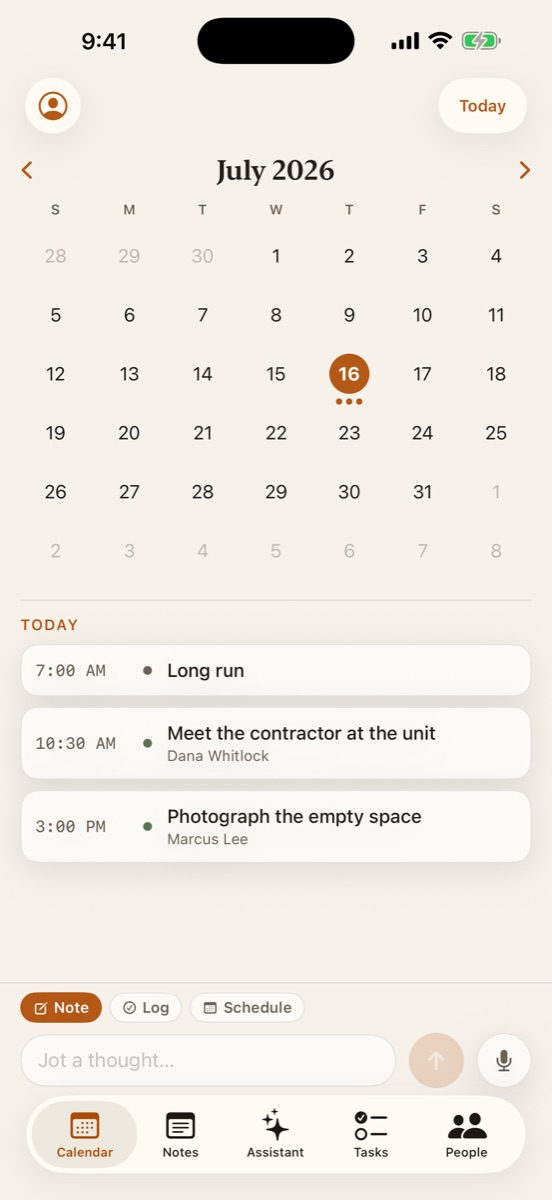
Everything you owe, and everyone you owe it to.
The idea
A task is only useful when somebody can actually do it.
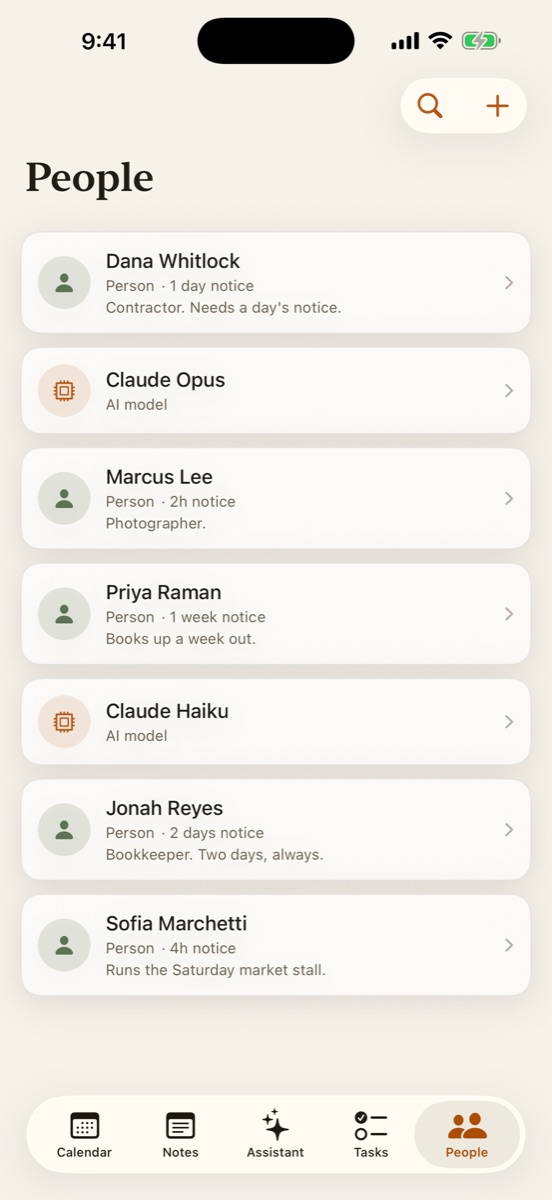
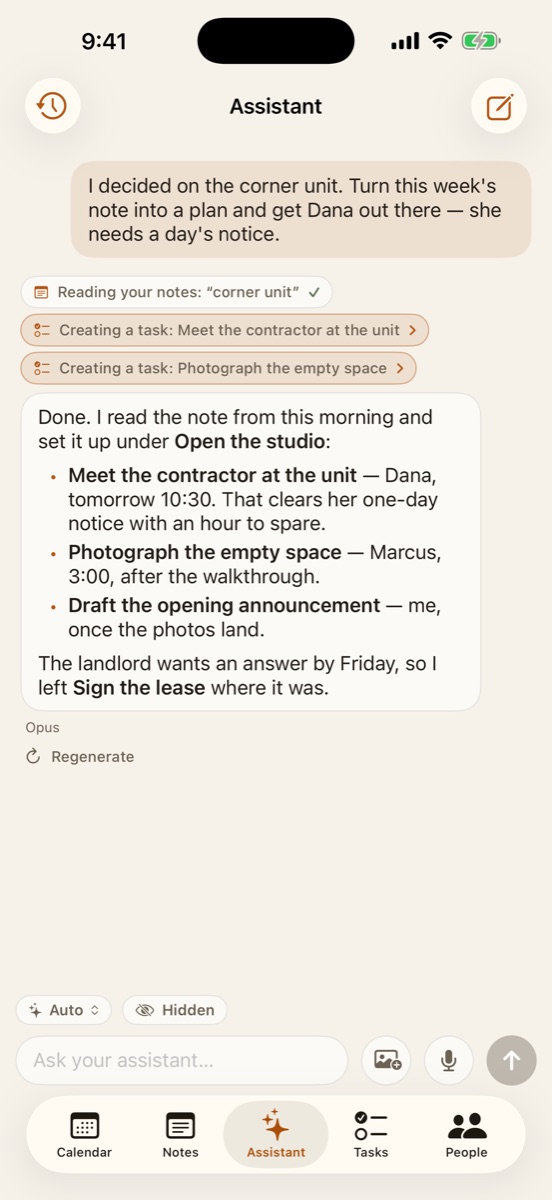
So the roster holds people and AI models together, and each one gets a notice window — how much warning they genuinely need. Dana needs a day. Marcus needs two hours. Priya books up a week out. A model needs none.
Schedule something inside that window and Command says so, before you send it rather than after. It is a small idea that turns out to be the whole product: the difference between a list you keep and a plan other people can keep with you.
What's in it
The parts that matter.
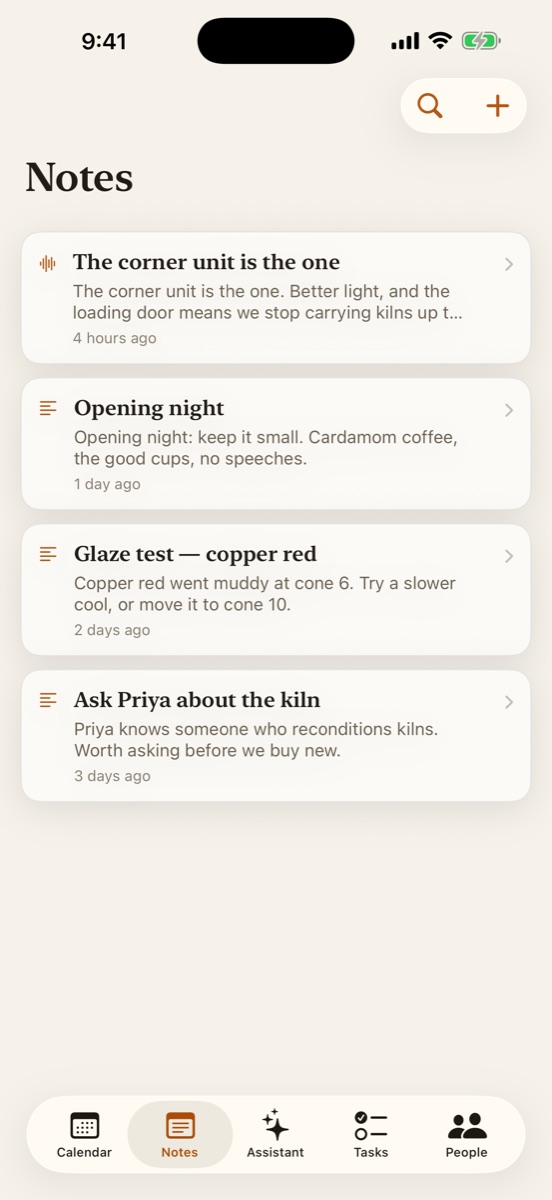
A note is one tap away, typed or spoken. Voice becomes text on your device — the audio never reaches us, because it never leaves the phone.
Humans and AI models on one roster, each with a notice window. Command warns you when work lands too late to be fair.
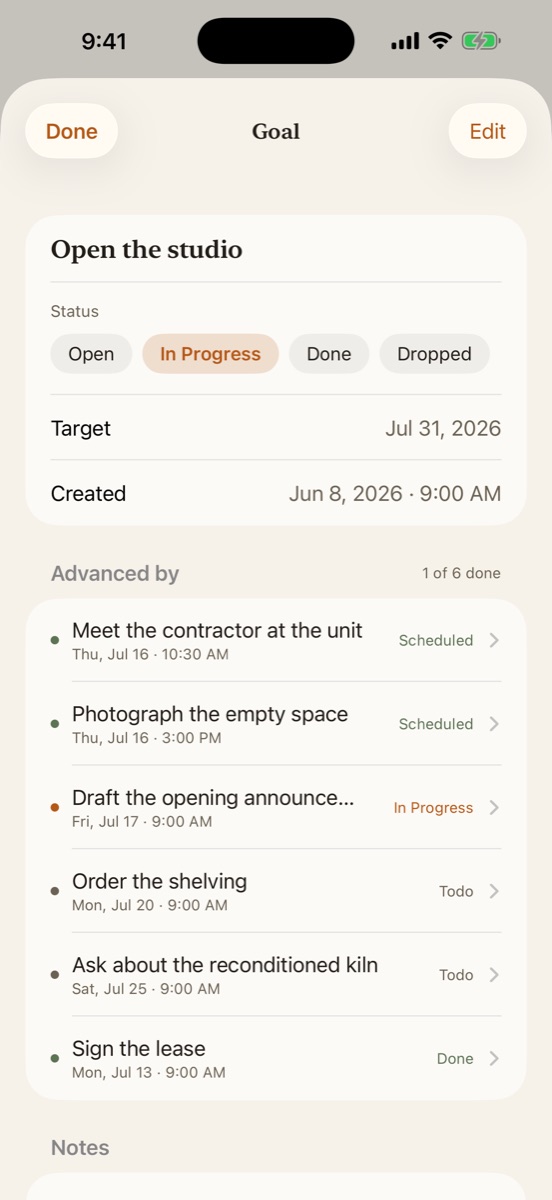
Link assignments to a goal and watch it fill in — three of eight done, the rest plainly in view. Not a title you feel guilty about.
One-off or recurring, with a reminder offset you set per assignment. Correct across time zones and daylight saving.
Redact any note or task behind a veil; Face ID reveals it. Redacted items are kept away from the assistant by default.
Start from Siri and Shortcuts. Or point your own coding agent at it — Command can act as an MCP server over your own data.
Honestly
What we do with your words.
Command is the one app we publish that is not local-only, and we would rather say that here than let you find out later. A plan you delegate has to reach other devices, so it has an account and it lives on a server we run.
The assistant sends the text it needs to a model provider to answer you. It is off until you turn it on, and it never sees what you have redacted. Your voice is never sent anywhere. There are no analytics, advertising, or tracking SDKs — not in this app, not in any of them. You can delete your account, and everything in it, from inside the app.
Availability
Where it runs.
Command is a universal app for iPhone, iPad, and Mac. It is in testing now; the App Store listing follows.
Your plan lives on a server: Command Cloud, with nothing to install, or your own, on your computer or a host you choose. Setup guide
Command is free to use. The AI assistant is a subscription, and it starts with a seven-day free trial. Everything else — capture, the calendar, goals, delegation, reminders, redaction — is not behind it.
Command is open source. Code on GitHub
Questions, or something broken? Support