Command · Setup
Your server on Railway
Your own private server, reachable from anywhere. Railway bills you directly (about $5/month).
- Deploy. Open the Command template, sign in to Railway and press Deploy Now. Nothing needs filling in.
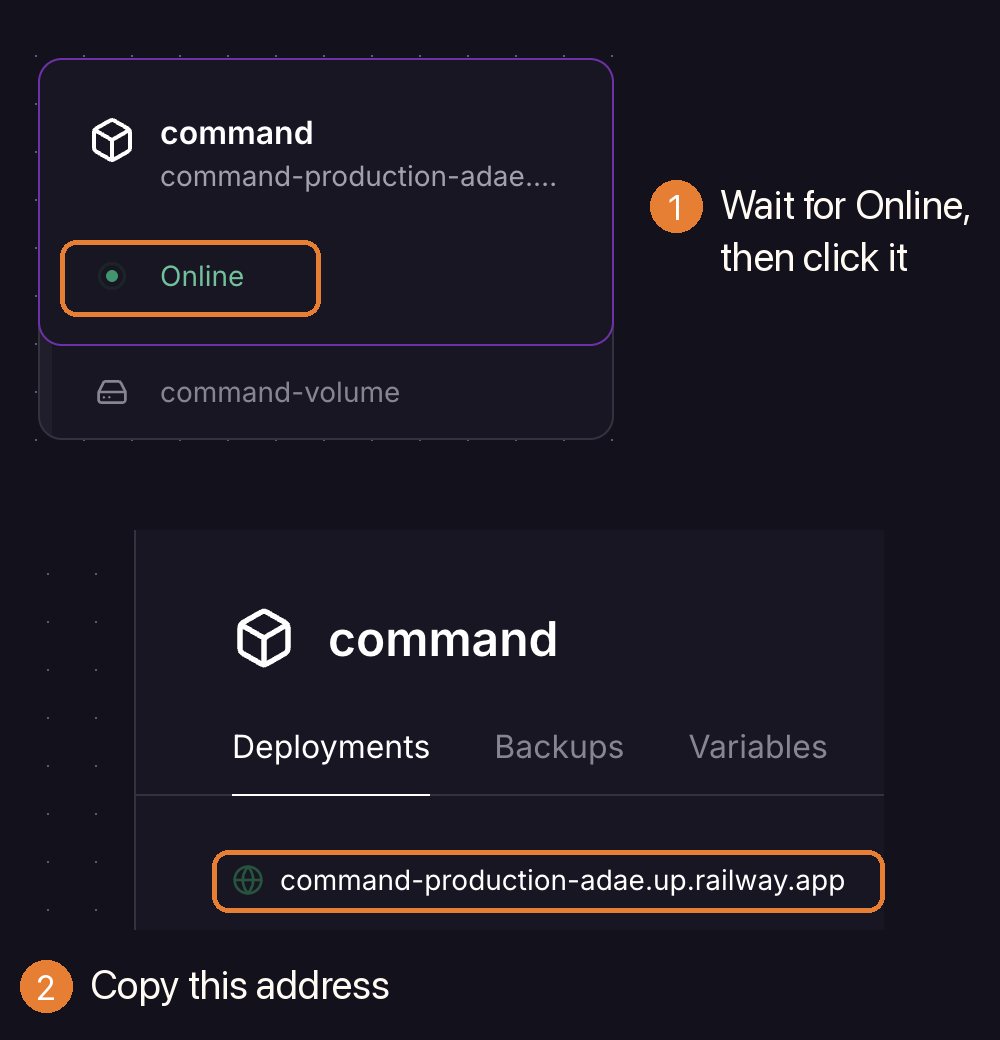
- Copy your address. When the service says Online, click it and copy the
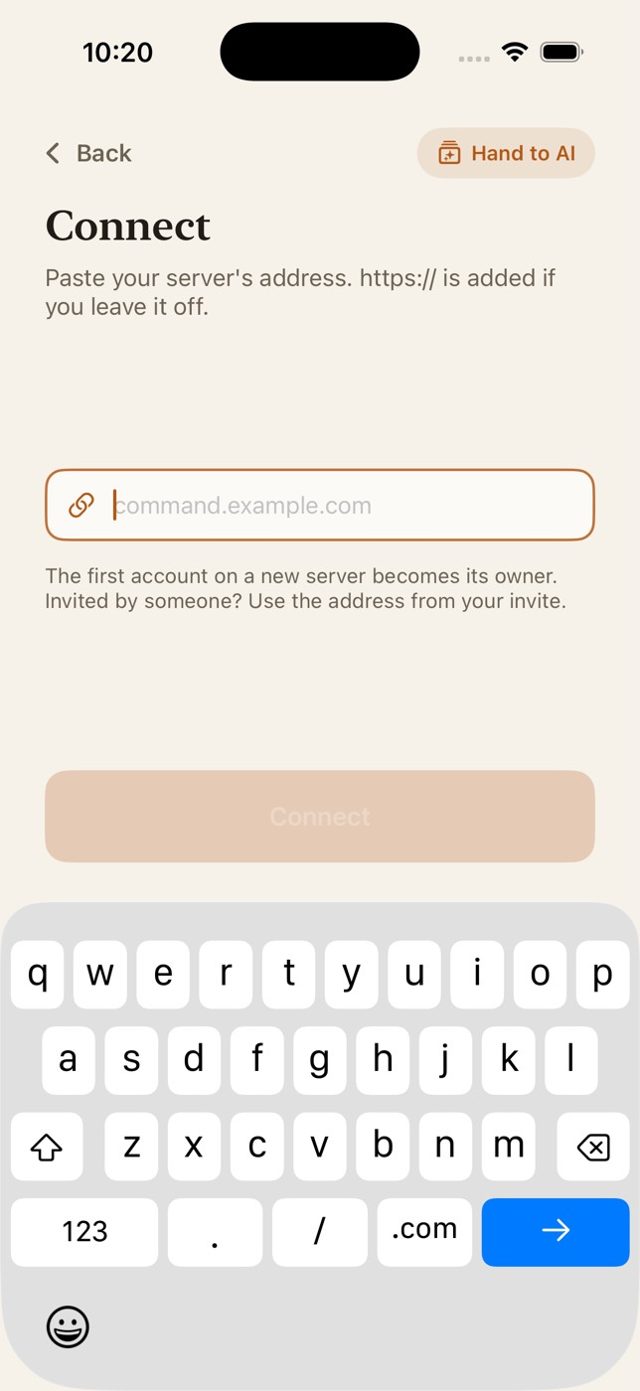
…up.railway.appaddress at the top of its panel. - Connect. In the app: My own server → I already have a server → paste → create your account. The first account owns the server.

Railway needs an active plan or trial to deploy. Want the assistant? Add your key in the app (how).